Jaiho 777 KYC Problem? PAN and Bank Name Fix
Jaiho777 KYC problem? Compare profile, PAN and bank-holder details before resubmitting documents through the…


Last updated: 29 August 2026
Rummy login problems can arise from a delayed OTP, changed phone number, forgotten password, outdated app, network issue, device restriction or temporary account review. Creating another account is rarely the safest first step because duplicate profiles can complicate KYC, wallet history and bonus eligibility.
Confirm the application first with the official Rummy APK guide. If an update is required, use the safe install process. Suspected clones should be compared with the fake-app checklist before entering a phone number or OTP.
Note the exact stage: the app will not open, the login screen loops, OTP does not arrive, password is rejected, the account is locked, or the wallet appears empty after login. Each needs a different fix. Screenshot the message and time without exposing the OTP.
Check whether the app is in maintenance through a verified status or support page. Test a stable network, automatic date and time, and a normal restart. Avoid using many OTP requests because rate limits can extend the lock.
If the problem began immediately after installing a new APK, compare the package and signature. A wrong clone can present a convincing login screen while accessing a different account system.
Confirm the country code and last digits of the registered mobile number. Ensure the SIM can receive ordinary messages, has signal and is not blocking transactional SMS. Wait for the displayed resend timer rather than tapping repeatedly.
Do not forward an OTP to customer support. An OTP is an authentication secret, not a troubleshooting screenshot. Support can verify the account through a formal process without asking the user to read the code aloud.
If the registered number is inactive, use the operator’s account-recovery procedure. Expect identity checks, but submit documents only through a verified secure route. Do not send PAN or Aadhaar images to a personal messaging number.
| Problem | Safe check | Do not |
|---|---|---|
| OTP delayed | Signal, number, timer and SMS blocking | Share OTP or spam resend |
| Password rejected | Use official reset and strong new password | Reuse banking passwords |
| App loops | Network, cache and current official version | Install random patched APK |
| Account locked | Read reason and open a support ticket | Create duplicate KYC account |
| Wallet missing | Verify UID and package identity | Deposit into the new screen |
| Phone changed | Use documented migration procedure | Give remote-control access |
Open password recovery from the verified app or official website. Use a unique password that is not shared with email, banking or UPI. A password manager can help create and store it securely.
Ignore reset links from unsolicited messages. Check the domain before entering credentials. If the link opens a different spelling, asks for a payment PIN or requests installation of a support app, close it.
After recovery, review active sessions and log out unknown devices where the feature exists. Change the associated email password if compromise is suspected.
Close the app, restart the phone and test a stable connection. Clearing cache may resolve a stuck session without deleting account data. Clearing storage or uninstalling can remove local settings, so preserve UID and recovery access first.
Update only from the confirmed source. A signature mismatch or different package name is not a routine inconvenience; it may indicate a clone or unofficial build. Do not bypass Android verification.
If login works in a browser but not the app, report the version, Android build and error to official support. Do not keep downloading variations of the APK.
An account can be limited because of repeated failed logins, device changes, identity mismatch, duplicate accounts, location rules or transaction review. Ask for the specific reason and required resolution route.
Submit only the minimum requested documents through the operator’s secure system. Redact unrelated financial information. Keep the ticket number and expected review time.
Do not pay an agent to “unfreeze” an account. Do not create a second profile to access a promotion. Duplicate accounts can make withdrawal and ownership verification more difficult.
Confirm the same UID, registered name and transaction history. Compare cash, deposit, bonus and withdrawable balances. If records differ, stop before making another payment and raise a ticket.
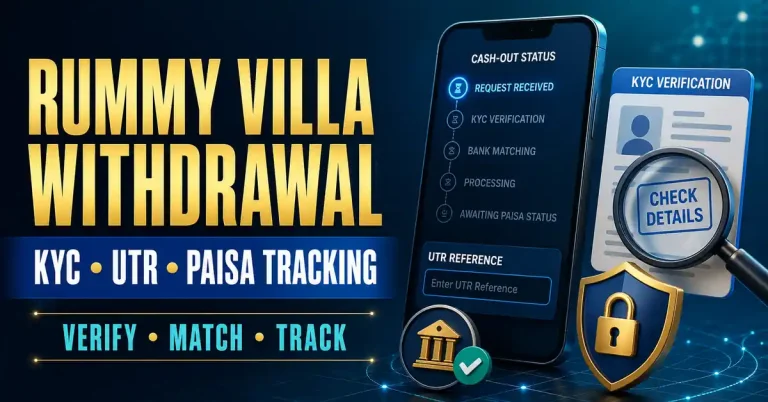
Use the Rummy cash-out process to preserve UTR and order references. A recovered login should not be treated as proof that every wallet issue is resolved.
Once access is stable, set session and deposit limits. Account recovery can create urgency, but recovering access does not require returning immediately to Real Cash play.
A login streak, daily gift or welcome banner can appear after access returns. Read its current conditions and do not let it push an immediate deposit. A missed bonus is not a reason to weaken account security.
JAIHO777 promotions belong to that brand’s own terms. They cannot repair another operator’s login and should not be used as evidence that a Rummy app is official. Compare platforms only after identity and account status are clear.
Use the first recovered session for orientation: check support, history, limits and logout. A calm verification session is more valuable than rushing to a table.
OTP nahi aa raha to resend button baar-baar mat dabao. Number, signal, SMS block aur timer check karo. OTP kisi support person ko mat batao. Password reset sirf verified app ya official website se karo.
Account locked ho to duplicate account mat banao. UID, error screenshot aur ticket number save karo. New APK install ke baad wallet missing ho to deposit mat karo—package identity verify karo. Recovery ke baad same UID aur transaction history confirm karo.
Separate device trouble from account trouble. If the same verified account works on an official web interface but not the phone, the problem may be local cache, compatibility or app version. If it fails everywhere, the account or credentials need attention. This distinction prevents unnecessary reinstalls.
Check whether a VPN, private DNS, ad blocker or restrictive Wi-Fi network is interrupting OTP or login traffic. Disable only the specific interfering setting temporarily and restore it after testing. Do not turn off the phone’s entire security configuration.
If travelling or changing states, availability and location checks may behave differently. Do not falsify location or bypass a regional restriction. Ask the verified operator whether access is allowed and keep Real Cash activity paused while the status is unclear.
Use account recovery as a security review. Remove old devices where possible, update the password, confirm the registered bank name and check recent transactions. Report unknown activity immediately through the published support channel.
Finally, decide whether returning to the account is appropriate. A recovered login can reopen promotional notifications and emotional pressure. Set a cooling-off period, disable unnecessary alerts and enter only when time and Paisa limits are already written down.
Keep support communication in one ticket where possible. Multiple chats with different agents can produce conflicting instructions. Reply with the existing reference, request written confirmation of any identity step and note when the promised review period ends.
If access is restored after suspected phishing, change passwords from a clean device and review bank or UPI alerts independently. The gaming operator cannot secure a compromised email or payment account for the user; those services need their own official recovery processes.
Test logout as well as login. A secure account needs a visible way to end the session, especially on a shared or repaired phone. Remove saved credentials and cached documents before giving the device to another person.
Review whether biometric login is appropriate on the device. It can reduce password exposure, but only when the phone has a secure lock and no untrusted fingerprints enrolled. Biometrics do not replace a unique password or protect against a fake app requesting credentials.
After recovery, write down the cause if known: expired version, blocked OTP, forgotten password, device change or account review. This helps avoid the same failure. Do not record the password itself; use a password manager instead.
The safest login fix restores the correct account without exposing credentials, duplicating identity records or breaking wallet evidence. If the operator cannot provide a documented recovery route, keep money activity paused.
Signal, incorrect number, SMS filtering, maintenance or too many requests can cause delays. Wait for the resend timer and never share an OTP.
Usually no. Duplicate accounts can conflict with KYC, withdrawals and promotions; recover the original account first.
It may remove local sessions and settings. Preserve UID, recovery access and transaction evidence before clearing storage or uninstalling.
Verify the UID, package identity and transaction history. Stop deposits and contact official support if the account differs.
Do not grant screen-sharing or remote-control access to anyone claiming they can unlock the account.
Jaiho777 KYC problem? Compare profile, PAN and bank-holder details before resubmitting documents through the…
Jaiho777 OTP not received? Check SIM, network, resend timing and safe account recovery without…
 Rummy Help
A careful review of Rummy Villa Withdrawal starts before any registration, payment or paid…